Back
Terminal
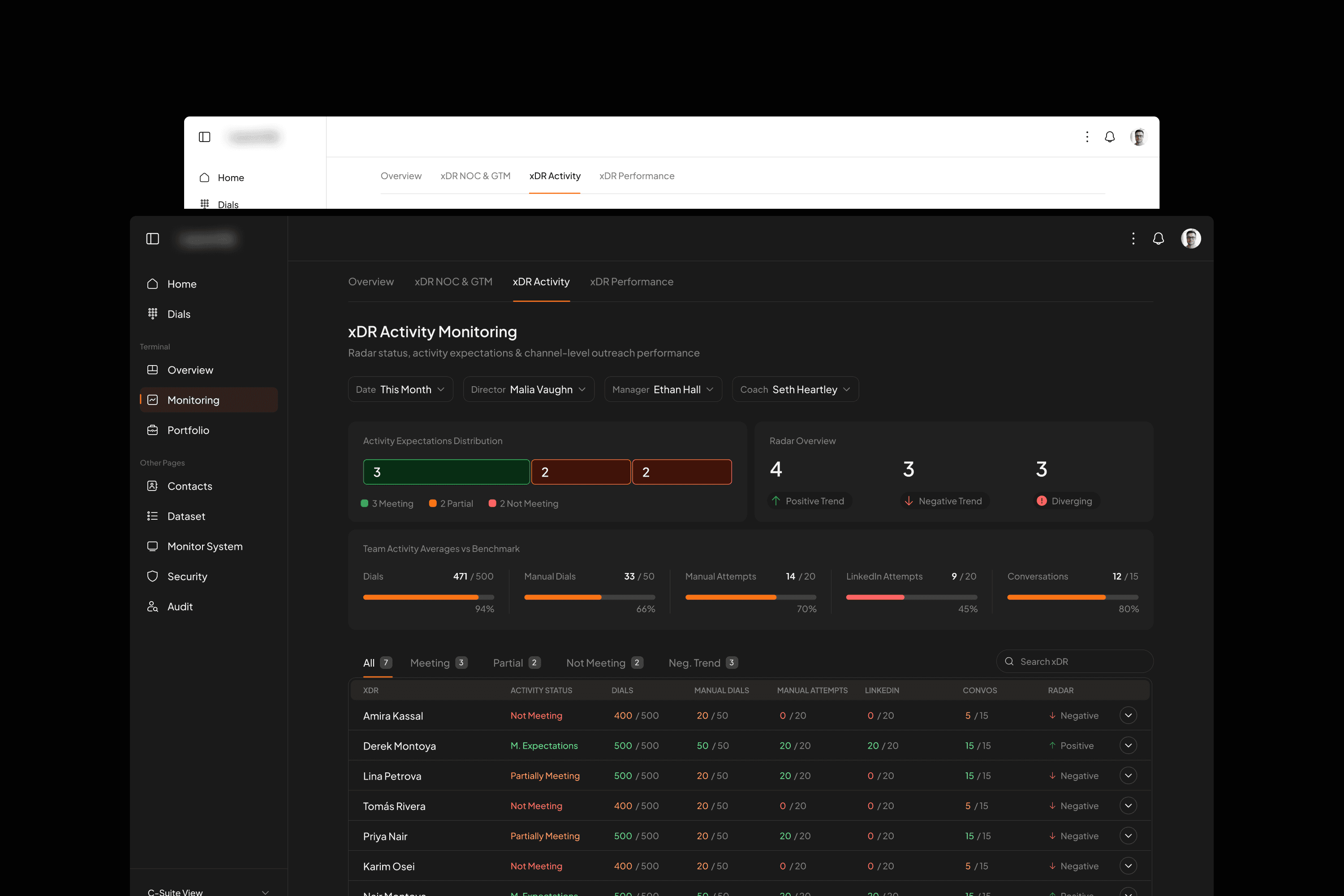
Real-time dashboards with infinite drill-down capabilities.
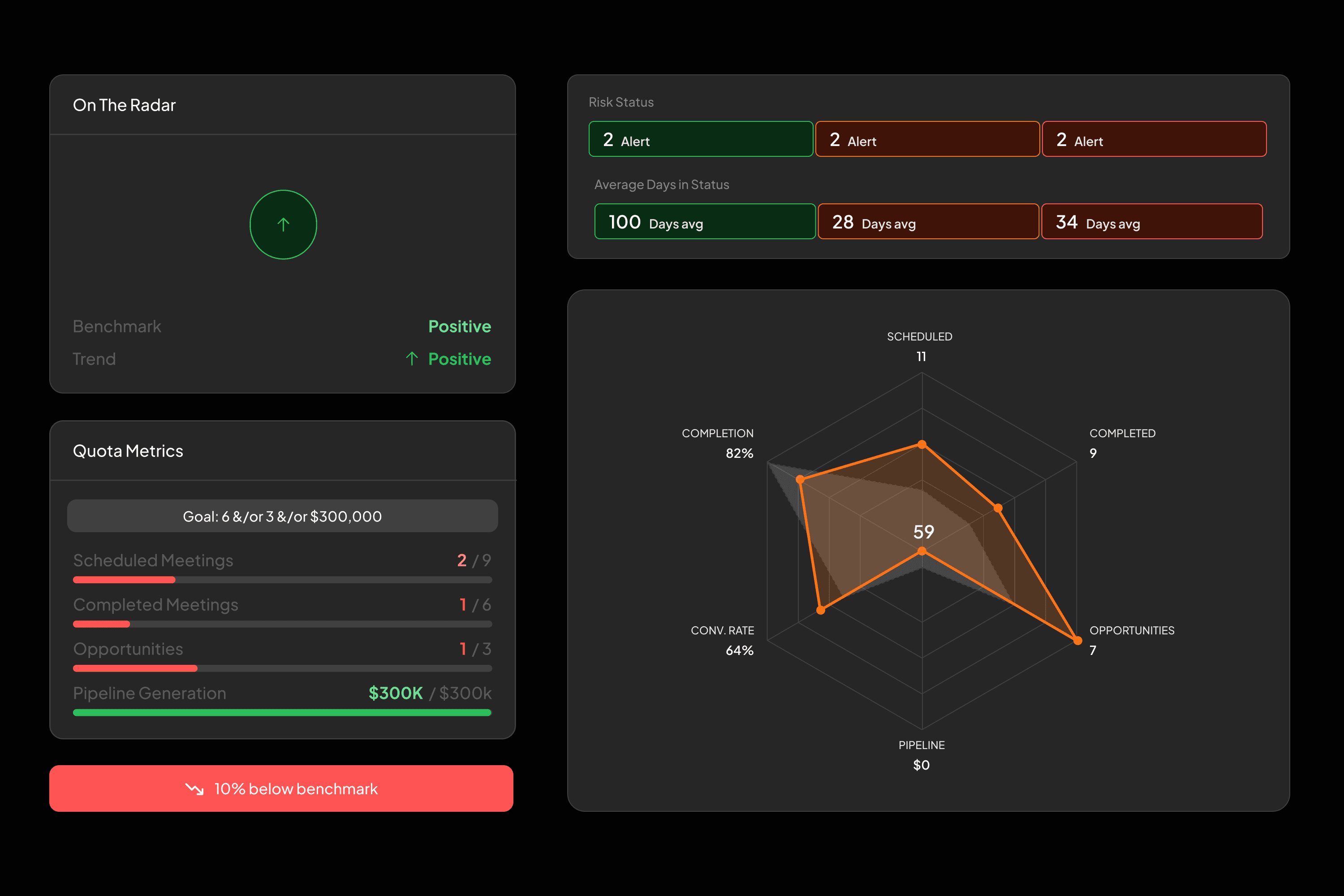
Real-time dashboards with infinite drill-down capabilities. Every interaction, every touchpoint, every conversion tracked and visualized with institutional-grade precision.
From 30,000-foot pipeline overviews to granular activity tracking—click any metric to expose the underlying data streams, attribution models, and performance indicators.
My Role
UX UI Designer
Project type
SaaS
Year
2026
Tools
Figma, Figma Make, Cursor, Replit
Client
Zagitech
Objective
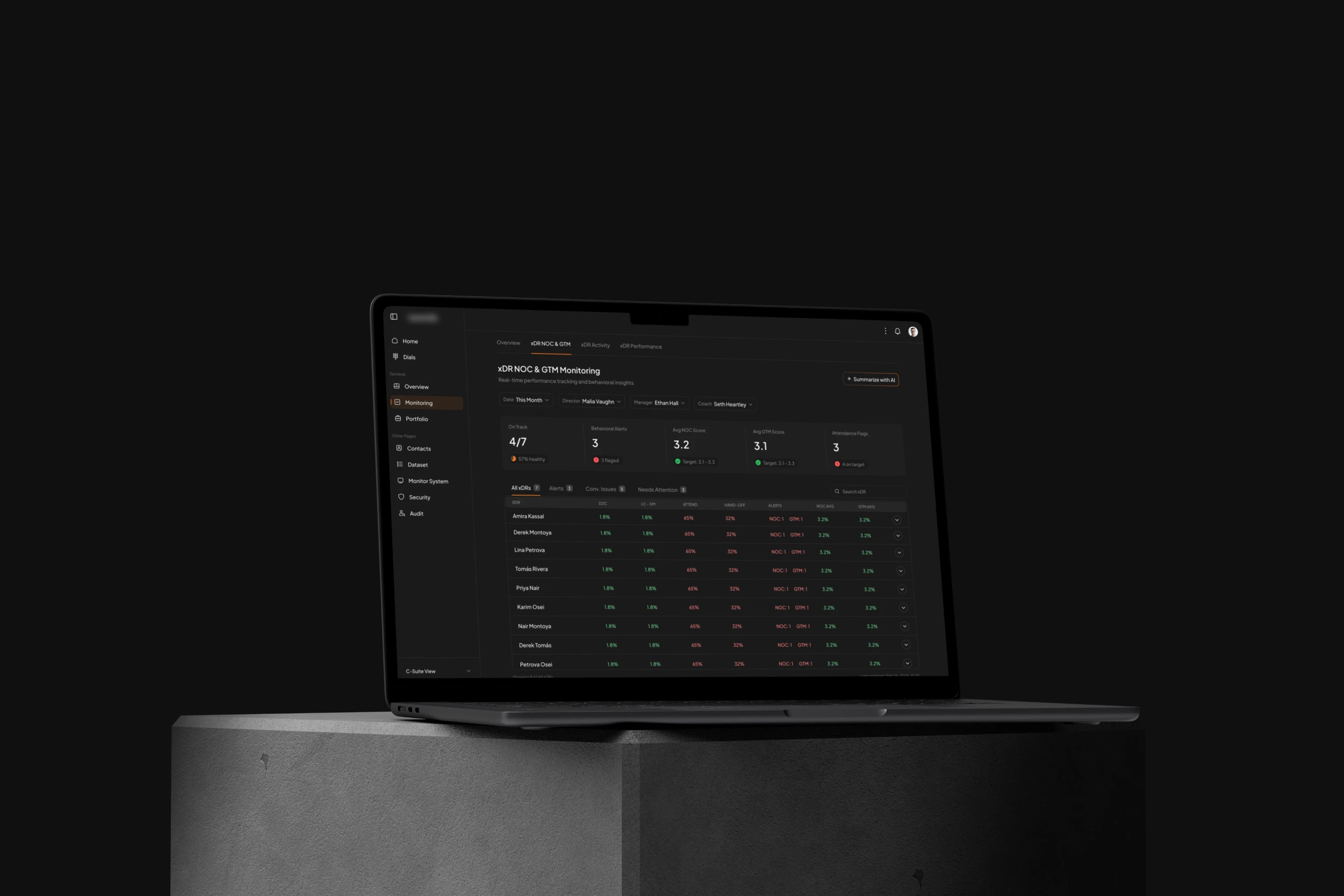
The main objective of this project was to design an intuitive and visually appealing web application that transitions the current workflow from Google Spreadsheets into a more structured and efficient platform. The goal was to simplify complex data management processes while maintaining full visibility and control over all interactions.
A key focus was to make the application fully data-driven, allowing users to track every interaction, touchpoint, and conversion in real time. This approach aimed to empower users with actionable insights, improve decision-making, and increase efficiency across workflows that were previously manual and cumbersome.
Additionally, the design needed to provide a seamless user experience for both novice and advanced users, balancing usability, clarity, and functionality. By transforming a spreadsheet-based workflow into an interactive web application, the project sought to enhance productivity, reduce errors, and create a scalable solution for managing complex datasets.
Ideation and Iteration
The design process began by mapping the existing spreadsheet workflow and identifying pain points. Low-fidelity wireframes and user flows helped visualize a more intuitive, data-driven web application.
Through multiple rounds of prototyping and testing with stakeholders and internal team, features were refined step by step, focusing on dashboards, data visualization, and modular workflows to ensure a seamless, actionable experience for both novice and advanced users.
Challenges
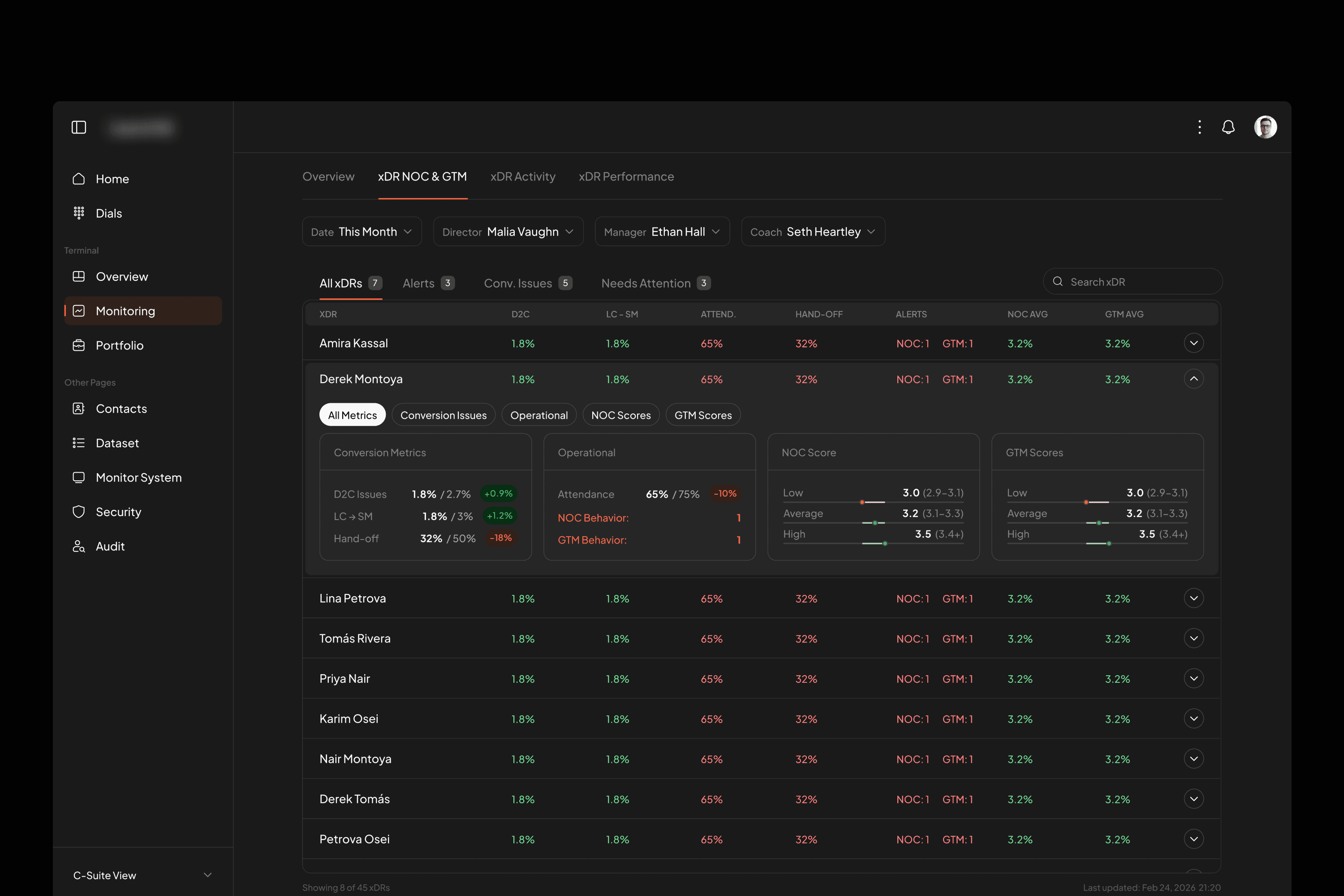
One of the main challenges was transforming a complex spreadsheet workflow into an intuitive web application while maintaining the depth of data and functionality. The system had to support eight different user roles—including client view, C-suite view, content managers, and NOC—each with unique needs and permissions, making it critical to design a flexible and role-aware interface.
Another challenge for C-Suite role was presenting detailed data for XDR in a way that was both comprehensive and accessible. We implemented expandable tables that allow users to drill down into rows to see deep data without overwhelming the interface, balancing clarity, usability, and functionality across all user roles.
User Research
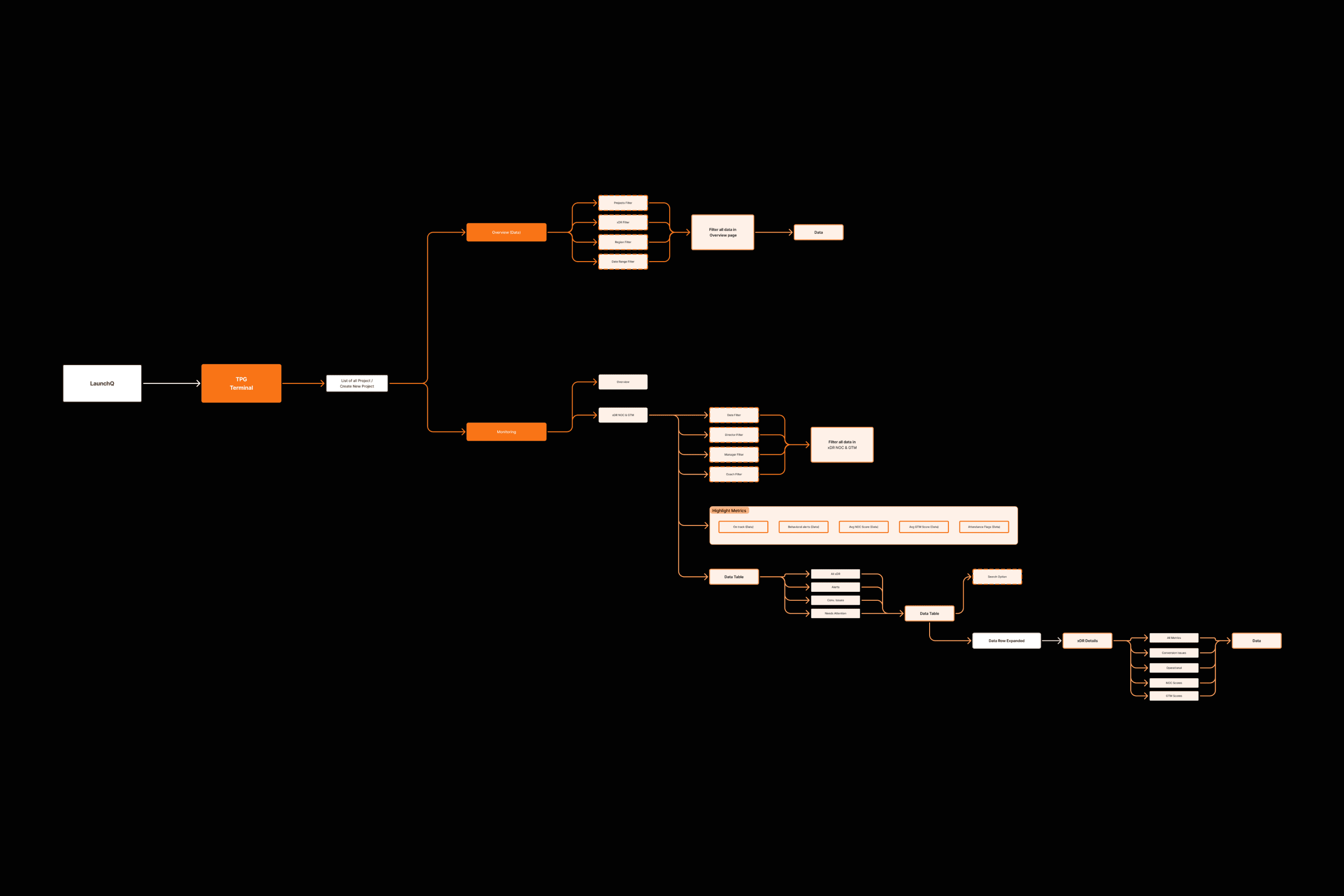
The user research sessions helped me address the challenges outlined above. Managing complex spreadsheet data across eight different user roles required mapping detailed user journeys to visualize how each role would navigate the product.
Based on research insights and with support from AI tools, I was able to define the flow patterns and determine the optimal solutions, including expandable data tables and various types of charts, allowing each user role to access the data they needed without overwhelming the interface.
Outcome
The project successfully delivered an intuitive, data-driven web application that replaced the previous spreadsheet workflow. The solution supports eight distinct user roles, each with tailored access and views, including client, C-suite, content managers, and NOC teams, ensuring that every user can interact with the platform efficiently.